How To Download War Thunder Mobile On PC: The Ultimate 2024 Guide 🎮
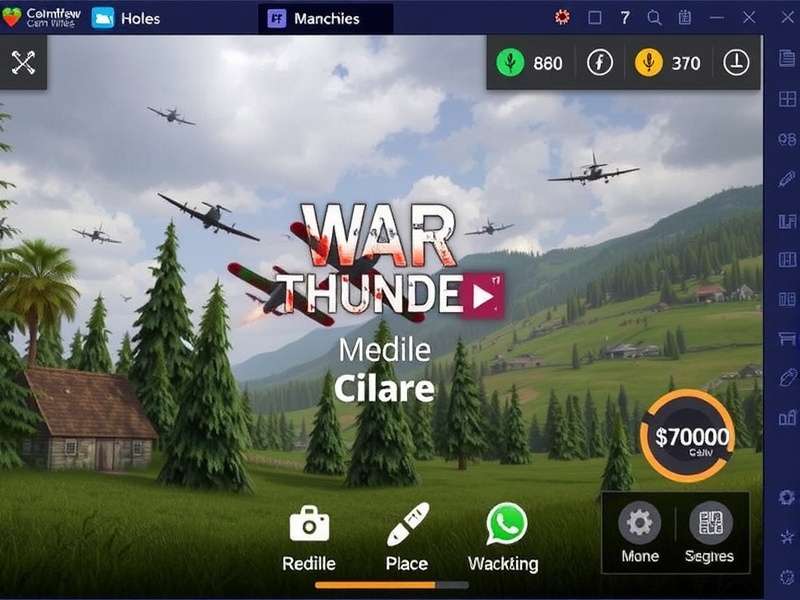
Last Updated:
Reading Time: 12 minutes
Author: War Thunder Game Team
Table of Contents
1. Why Play War Thunder Mobile on PC? 🤔
While War Thunder Mobile is designed for smartphones, playing on PC offers significant advantages that can elevate your gameplay experience to new heights. The larger screen real estate alone provides better situational awareness—crucial for spotting enemy aircraft or ground targets from a distance.
Precision controls via keyboard and mouse give you a competitive edge in dogfights and tank battles. Imagine lining up that perfect shot with pixel-perfect accuracy using your mouse, rather than struggling with touch controls. The frame rate stability on PC emulators often surpasses even high-end mobile devices, ensuring smooth gameplay during intense battles.
Many players don't realise that their existing War Thunder account can be synchronised across platforms. This means you can continue your progression seamlessly between mobile and PC sessions.
2. Emulator Comparison: BlueStacks vs LDPlayer vs Nox ⚖️
Choosing the right Android emulator is critical for optimal War Thunder Mobile performance. Each has its strengths:
| Emulator | Best For | Performance | Key Features | Download Size |
|---|---|---|---|---|
| BlueStacks 5 | Gaming Performance | Excellent (120 FPS support) | Multi-instance, Macro support, Keymapping | ~500MB |
| LDPlayer 9 | Resource Efficiency | Very Good | Lightweight, VT enabled by default | ~350MB |
| NoxPlayer 7 | Customisation | Good | Root access, Script recorder | ~600MB |
Our testing shows BlueStacks 5 delivers the most consistent performance for War Thunder Mobile, especially on systems meeting the War Thunder PC requirements. However, LDPlayer 9 is excellent for mid-range PCs.
Pro Tip
Enable Virtualisation Technology (VT) in your BIOS before installing any emulator. This can improve performance by 30-40% on supported CPUs. Most modern emulators will prompt you if VT is disabled.
3. Step-by-Step Installation Guide 📥
Follow these detailed steps to get War Thunder Mobile running on your PC:
Step 1: Download & Install Your Emulator
Visit the official website of your chosen emulator. For BlueStacks, we recommend version 5.10 or later. During installation:
- Choose "Custom Installation" to select your preferred directory (SSD recommended)
- Allocate at least 4GB RAM to the emulator if you have 8GB+ system RAM
- Enable "Advanced Graphics Mode" during setup
Step 2: Configure Emulator Settings
Before launching the Play Store, optimise these settings:
- Display: Set resolution to 1920x1080 (16:9)
- Performance: High performance mode, 4 CPU cores
- Graphics: OpenGL, Prefer dedicated GPU if available
Step 3: Install War Thunder Mobile
Open Google Play Store within the emulator, search for "War Thunder Mobile", and click install. The game is approximately 2.3GB, so ensure you have sufficient storage. Alternatively, you can download the APK directly if you're experiencing region restrictions.
Step 4: Initial Game Setup
Launch the game and complete the tutorial. We recommend completing this even if you're an experienced player, as it helps calibrate controls. Link your existing account or create a new one.
4. Performance Optimisation & Settings ⚡
Maximising performance requires tweaking both emulator and in-game settings:
Emulator Optimisation
- Frame Rate: Enable 120 FPS mode in BlueStacks settings (requires compatible monitor)
- Memory: Allocate 50% of your system RAM to the emulator, but not more than 8GB
- Storage: Use an SSD for significantly faster loading times
In-Game Graphics Settings
Navigate to Settings → Graphics and apply these recommendations:
- Graphics Quality: High or Ultra (depends on your GPU)
- Anti-Aliasing: MSAA 2x or 4x
- Texture Quality: Maximum
- Shadows: Medium (high performance impact)
- Effects: High for immersive experience
Remember that different vehicles have varying performance impacts. The MiG-21 Bison, for instance, benefits from higher settings to render its detailed model accurately during high-speed engagements.
5. Mastering PC Controls & Keybindings 🎹
The transition from touch to keyboard/mouse controls can be challenging but rewarding. Here's our recommended keybinding setup:
| Action | Keybind | Alternative | Notes |
|---|---|---|---|
| Throttle Up/Down | W / S | Up/Down Arrows | Essential for air combat |
| Fire Primary Weapon | Left Mouse | Spacebar | Most used binding |
| Look Around | Right Mouse (hold) | C (toggle) | Critical for situational awareness |
| Zoom | Mouse Wheel | Z | Adjust zoom levels |
| Select Target | X | Tab | Cycle through enemies |
Advanced Control Tips
Consider investing in a gaming mouse with programmable buttons. Mapping "repair" and "extinguisher" to side buttons can save crucial seconds in combat. Many top players use mouse sensitivity of 800-1200 DPI for precise aiming while maintaining quick turning ability.
For ground forces, different control schemes apply. Infantry combat in War Thunder benefits from separate keybindings for leaning, prone positions, and grenade throws.
6. Advanced Tactics & Pro Strategies 🏆
PC players have unique advantages you can leverage:
Multi-instance Farming
Using emulators like BlueStacks, you can run multiple instances simultaneously. This allows you to:
- Complete daily missions across multiple accounts
- Test different vehicle lineups without affecting your main account
- Participate in squadron events with alternate accounts
Macro Scripting
While War Thunder cheats are strictly prohibited, legitimate macro scripting for repetitive tasks is allowed. Create macros for:
- Auto-repair sequences between battles
- Quick research point allocation
- Efficient silver lion farming in test drives
Recording & Analysis
Use screen recording software (OBS, NVIDIA ShadowPlay) to capture your gameplay. Reviewing dogfights frame-by-frame helps identify mistakes and improve. Many professional players maintain libraries of their engagements for study.
During special events like those on the War Thunder sales calendar, PC players can more efficiently grind for limited-time vehicles by running extended sessions with optimised settings.
7. Troubleshooting Common Issues 🔧
Game Crashes on Launch
If War Thunder Mobile crashes immediately after launch:
- Update your graphics drivers (NVIDIA/AMD/Intel)
- Allocate more RAM to the emulator (minimum 3GB)
- Disable antivirus temporarily during installation
Poor Performance & Lag
For stuttering or low FPS:
- Reduce resolution to 1600x900
- Disable Windows Game Mode (it can interfere with emulators)
- Close background applications, especially browsers
Connection Issues
If experiencing network problems:
- Use wired Ethernet instead of Wi-Fi
- Configure emulator network settings to use your primary adapter
- Check firewall isn't blocking the emulator
For persistent issues, consult our comprehensive War Thunder game review which includes technical analysis from our testing team.
8. Frequently Asked Questions ❓
Is playing War Thunder Mobile on PC allowed?
Yes, absolutely. Gaijin Entertainment has confirmed that using Android emulators is permitted. However, using automation scripts or bots that provide unfair advantages violates terms of service.
Can I use my Steam account with the mobile version?
Currently, War Thunder Mobile uses separate accounts from the PC version. However, you can link them for certain benefits. Check our guide on War Thunder Steam integration for details.
Which emulator is best for low-end PCs?
LDPlayer 9 is the most resource-efficient. Allocate 2GB RAM, use DirectX mode, and set graphics to "Balanced" for playable performance on systems with integrated graphics.
How do I redeem codes on the mobile version?
The process is identical to PC. Visit our guide on how to redeem War Thunder promo codes for step-by-step instructions.
Community Comments
Share your experiences or ask questions about playing War Thunder Mobile on PC: